'%3e%3cpath%20d='M150.127%20195.325C233.04%20195.325%20300.255%20168.696%20300.255%20135.848C300.255%20103%20233.04%2076.3709%20150.127%2076.3709C67.2143%2076.3709%200%20103%200%20135.848C0%20168.696%2067.2143%20195.325%20150.127%20195.325Z'%20fill='white'/%3e%3cpath%20d='M231.093%20118.256L150.117%20-0.000183105L69.1527%20118.256C68.1365%20119.748%2067.5967%20121.294%2067.5967%20122.871C67.5967%20136.017%20104.538%20146.666%20150.117%20146.666C195.697%20146.666%20232.638%20136.007%20232.638%20122.871C232.638%20121.294%20232.098%20119.748%20231.082%20118.256H231.093Z'%20fill='%2301A9F2'/%3e%3cpath%20d='M150.106%20356.844L98.7265%20281.5L62.3035%20311.117L25.4253%20257.017L50.787%20239.721L68.8556%20266.226L105.279%20236.62L150.106%20302.363L194.934%20236.62L231.357%20266.226L270.045%20209.48L295.407%20226.776L237.898%20311.117L201.475%20281.5L150.106%20356.844Z'%20fill='white'/%3e%3cpath%20d='M592.168%20165.22V237.908H561.482V171.825C561.482%20153.884%20551.807%20143.034%20535.051%20143.034C516.644%20143.034%20505.318%20156.011%20505.318%20175.604V237.908H474.875V171.349C474.875%20153.407%20464.968%20142.791%20448.445%20142.791C429.804%20142.791%20418.711%20156.011%20418.711%20176.07V237.908H388.025V118.964H418.711V134.301C426.502%20122.033%20440.421%20115.418%20458.13%20115.418C477.014%20115.418%20490.7%20122.975%20498.247%20135.953C506.747%20123.208%20521.608%20115.418%20540.725%20115.418C572.819%20115.418%20592.179%20135.476%20592.179%20165.22H592.168Z'%20fill='white'/%3e%3cpath%20d='M899.48%2080.2534C899.48%2068.2182%20909.388%2059.4856%20920.248%2059.4856C931.574%2059.4856%20941.248%2068.9274%20941.248%2080.2534C941.248%2091.3465%20931.574%20100.788%20920.248%20100.788C909.155%20100.788%20899.48%2092.0557%20899.48%2080.2534Z'%20fill='white'/%3e%3cpath%20d='M935.832%20118.955H905.146V237.899H935.832V118.955Z'%20fill='white'/%3e%3cpath%20d='M1140.2%20118.955H1173L1099.84%20288.644H1067.5L1090.6%20237.666L1043.42%20118.955H1076.45L1107.37%20204.81L1140.18%20118.955H1140.2Z'%20fill='white'/%3e%3cpath%20d='M883.182%20115.418H815.904C781.45%20115.418%20755.008%20137.837%20755.008%20171.825C755.008%20206.756%20778.846%20228.466%20815.904%20228.466C831.951%20228.699%20847.288%20231.059%20847.288%20246.64C847.288%20259.617%20835.962%20267.175%20817.555%20267.175C799.148%20267.175%20784.985%20254.664%20781.915%20239.326L756.66%20246.873C763.741%20274.722%20787.346%20292.188%20817.312%20292.188C856.963%20292.188%20876.313%20272.838%20876.313%20249.233C876.313%20234.605%20869.231%20223.036%20855.545%20215.721C868.522%20206.047%20877.022%20190.709%20877.022%20171.825C877.022%20160.986%20871.412%20149.3%20863.145%20140.674H883.182V115.418ZM815.904%20203.919C797.264%20203.919%20782.392%20192.117%20782.392%20171.825C782.392%20151.534%20799.148%20139.964%20815.904%20139.964C832.66%20139.964%20849.416%20151.29%20849.416%20171.825C849.416%20188.814%20835.497%20203.919%20815.904%20203.919Z'%20fill='white'/%3e%3cpath%20d='M737.426%20237.906V118.962H708.158V136.088C698.685%20121.481%20682.796%20115.426%20668.983%20115.426C633.587%20115.426%20608.087%20143.509%20608.087%20179.148C608.087%20214.788%20633.1%20241.452%20668.03%20241.452C682.426%20241.452%20698.24%20235.08%20708.148%20220.917V237.906H737.415H737.426ZM673.471%20213.835C653.645%20213.835%20638.308%20199.207%20638.308%20178.429C638.308%20157.65%20653.889%20143.032%20673.704%20143.032C694.705%20143.032%20709.1%20160.021%20709.1%20178.429C709.1%20196.836%20694.472%20213.835%20673.46%20213.835H673.471Z'%20fill='white'/%3e%3cpath%20d='M1003.29%20111.085C1003.29%2098.5315%201011.17%2091.8842%201023.98%2091.8842C1028.9%2091.8842%201033.83%2092.6251%201037.77%2093.853L1042.2%2068.0043C1038.02%2066.7765%201027.43%2064.7971%201021.27%2064.7971C994.18%2064.7971%20972.607%2081.786%20972.607%20110.355V118.961H956.889V144.216H972.607V164.519V237.915H1003.29V144.216H1038.46V118.961H1003.29V111.096V111.085Z'%20fill='white'/%3e%3c/g%3e%3cdefs%3e%3cclipPath%20id='clip0_1_3'%3e%3crect%20width='1173'%20height='356.842'%20fill='white'/%3e%3c/clipPath%3e%3c/defs%3e%3c/svg%3e)

Native Element Group
What is a Native Element Group
Native Element Group is a collection of Native elements (products) that allows you to work with sets of products instead of individual Product IDs when configuring campaigns, segmentation, and limits.
A Native Element Group can include products of different types, such as:
- consumable;
- non-consumable;
- subscription;
- rewarded and others.
Where Native Element Group is used
1. Campaign filters (parent and nested campaigns)
Native Element Group can be used in parent and nested campaign filters:
- Include group if any purchased
- Exclude group if any purchased
- Include group if all purchased
- Exclude group if all purchased
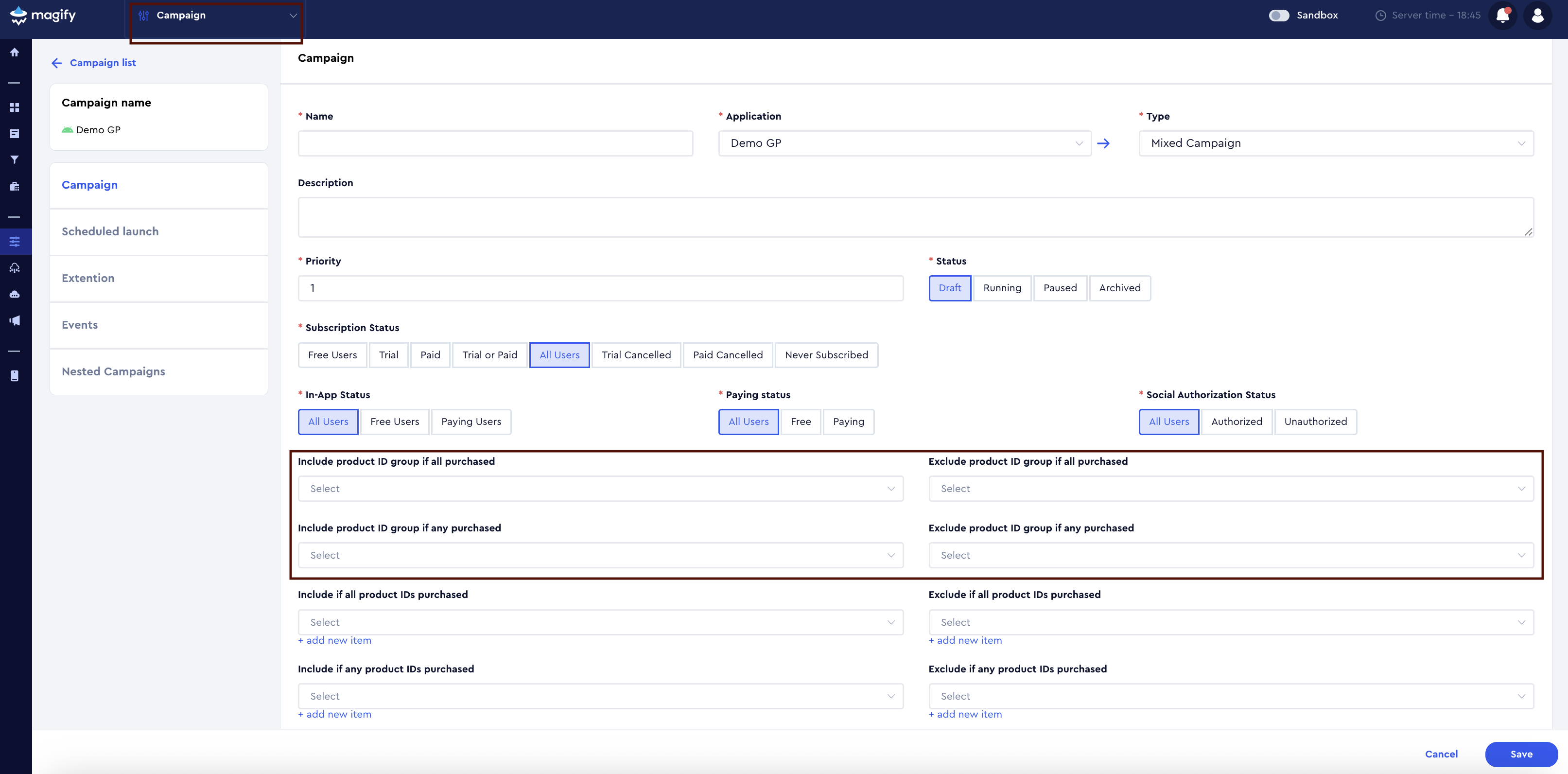
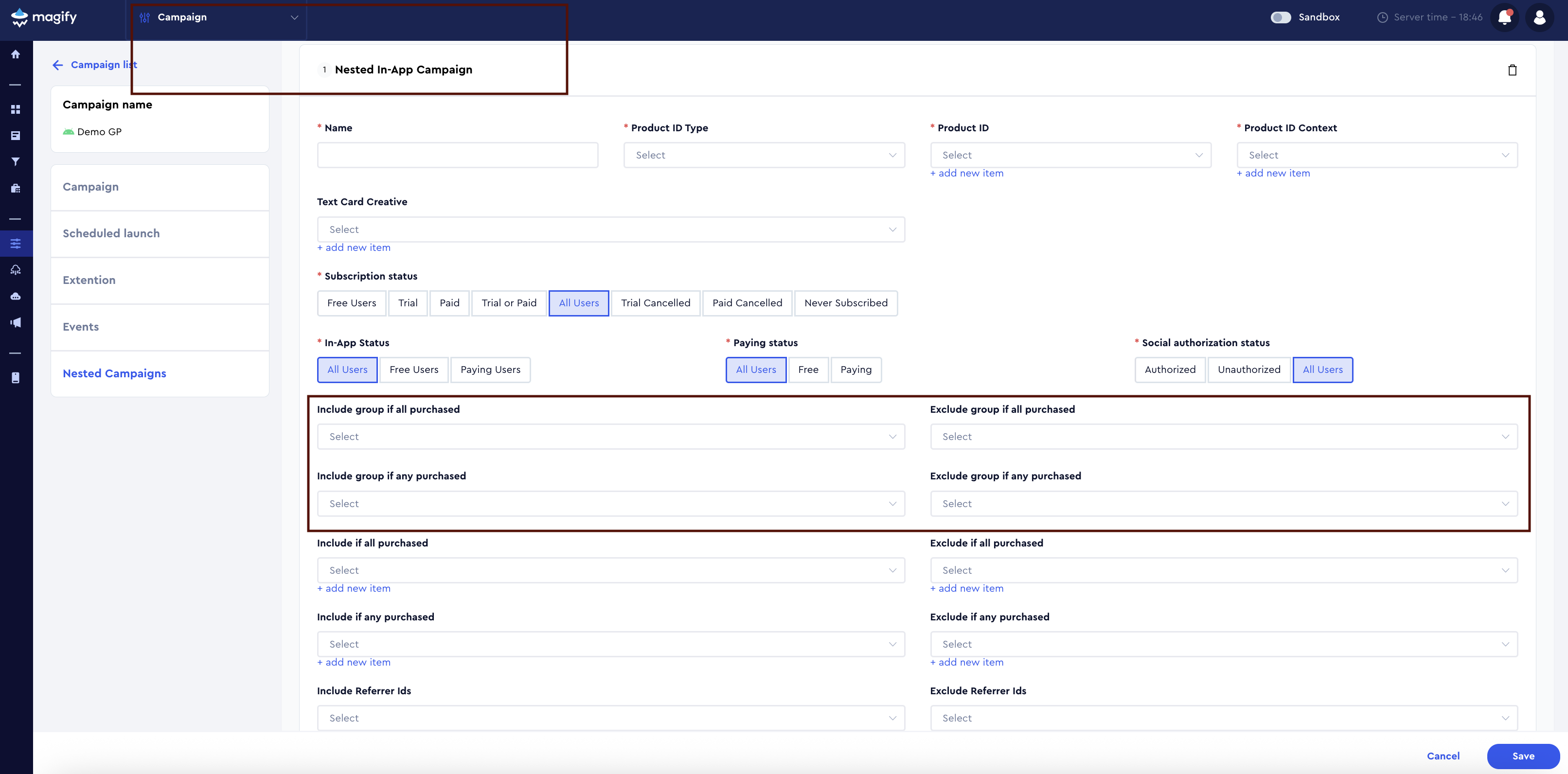
Supported product types:
Campaign filters support groups containing products of any type.
2. Segmentation (Product)
Native Element Group is used in Segmentation > Product.
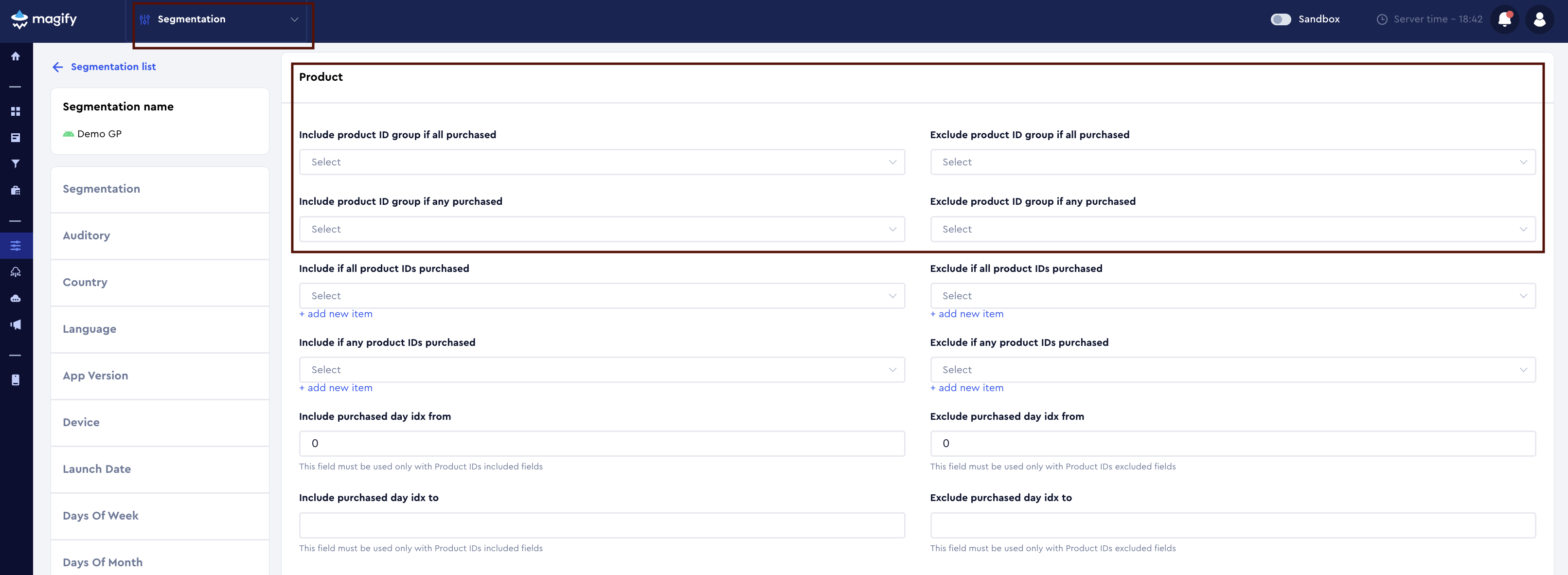
Product type limitation:
Only groups containing:
- Consumable Product IDs
- Non-Consumable Product IDs
are supported.
Groups containing other product types are not supported in segmentation.
3. Temporary limits (Impression limits)
Native Element Group is used within the Temporary limits section in:
- Impression limits
- A/B Test Impression limits
- Segmented Impression limits
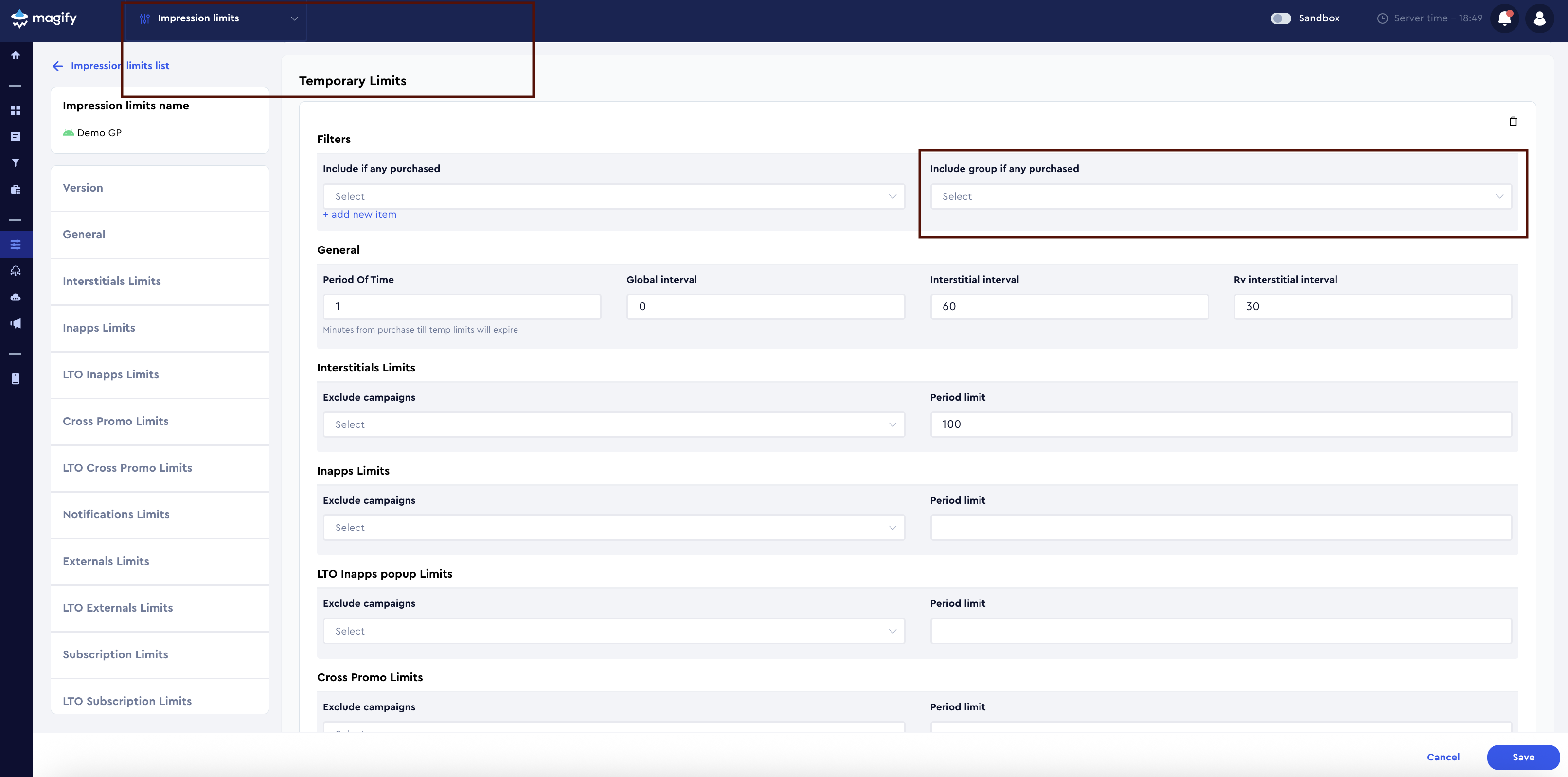
The group is applied via:
- Include group if any purchased
Supported product types:
All product types are supported in impression limits.
4. Application Feature (Segmented / A/B Test)
Native Element Group is used within Application Feature settings in:
- Segmented Application Feature
- A/B Test Application Feature
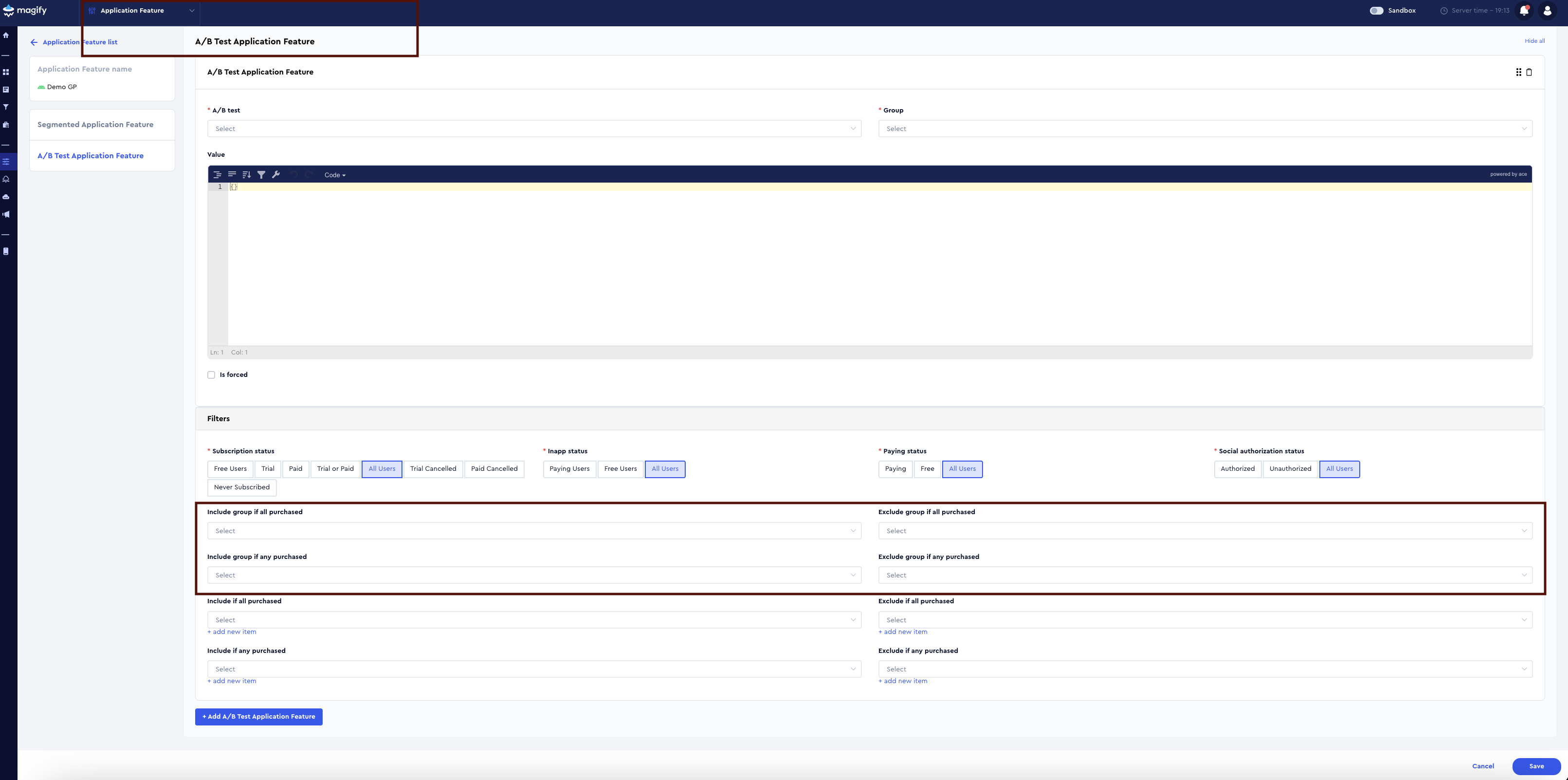
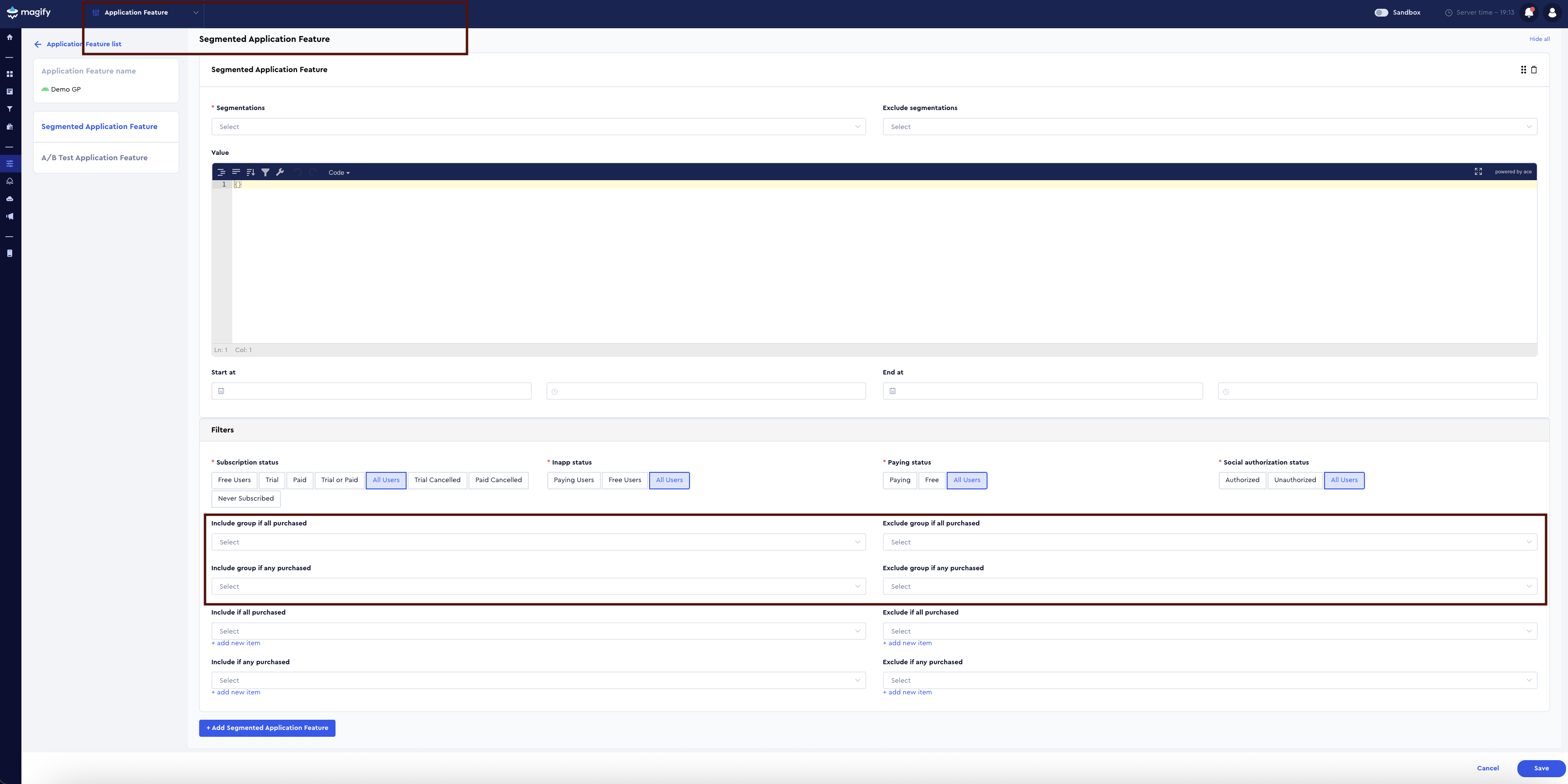
The group is applied in filters that evaluate product purchase conditions.
Supported conditions:
- any purchased
- all purchased
Supported product types:
All product types are supported in Application Feature filters.
End-to-end example
Group: no_ads_products
Contains:
remove_ads_product_id(non-consumable)subscription_no_ads_id(subscription)
Used in:
- campaign filters;
- impression limits;
- application feature filters
Not supported in segmentation.
Creating a Native Element Group
Groups can be:
- created automatically (default groups);
- created manually.
Manual creation:
- Go to Native Element Groups.
- Click Create New.
- Fill in Name, Application, and Native elements.
- Click Save.

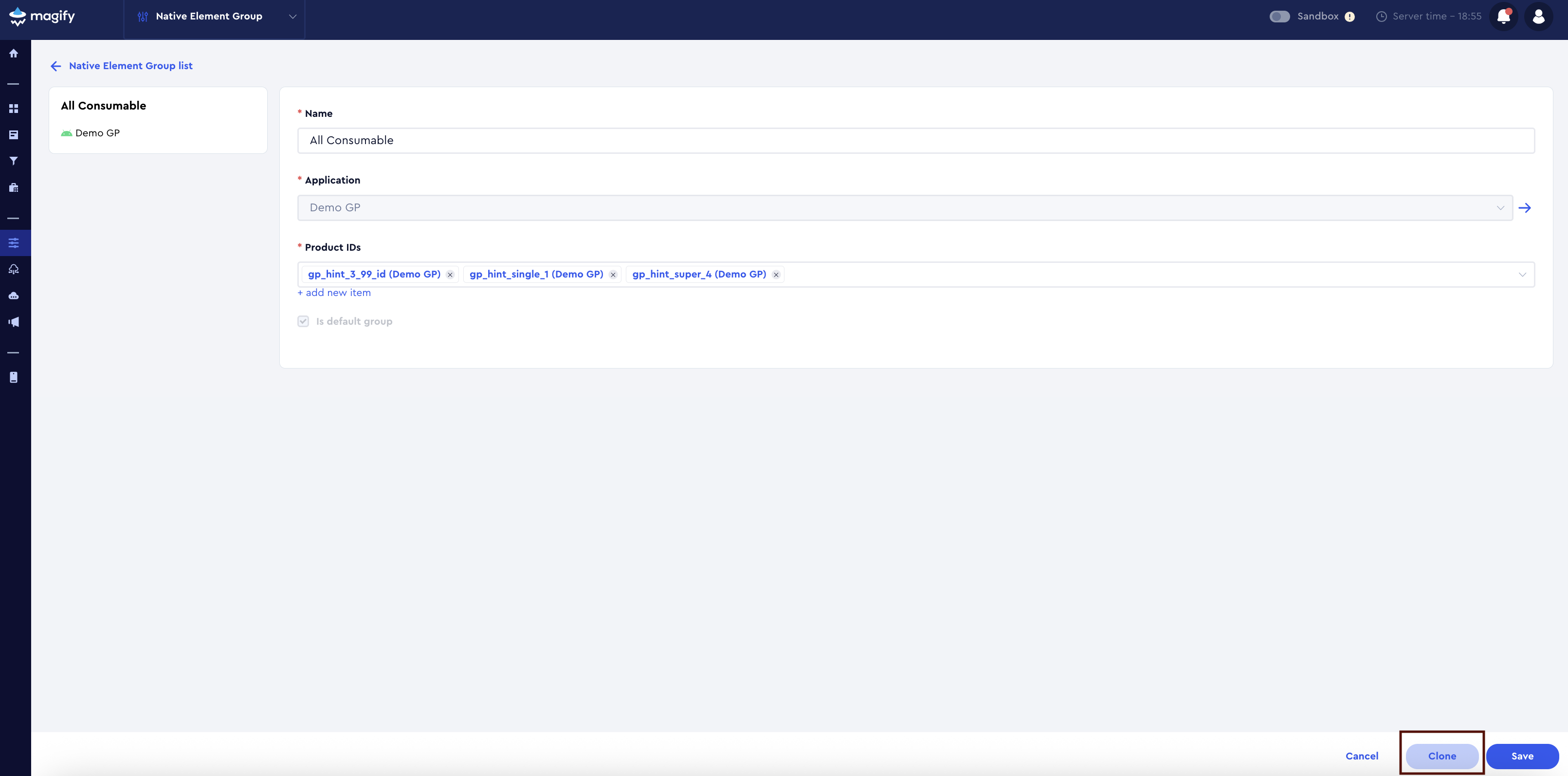
Cloning a Native Element Group
Any group can be cloned to quickly create a new editable group based on an existing one.

Native Element Group filtering and table view
To simplify working with Native Element Groups, the system provides separate mechanisms for filtering and table display customization.
Filtering
In the Native Element Groups list, filtering is available only by Application.
This allows you to:
- display groups related to a specific application;
- manage groups more efficiently in multi-application projects.
Table display settings (Edit table)
In addition, the interface provides table display customization via the Edit table menu.
Using this menu, you can:
- show or hide the following columns:
- Name
- Application
- Is default group
- Actions
- use search to find values within the table.

Summary
Native Element Group is a core building block for scalable campaign logic.
It allows you to:
- group products of different types;
- reuse logic across campaigns, segmentation, and limits;
- keep configurations clean and maintainable.