'%3e%3cpath%20d='M150.127%20195.325C233.04%20195.325%20300.255%20168.696%20300.255%20135.848C300.255%20103%20233.04%2076.3709%20150.127%2076.3709C67.2143%2076.3709%200%20103%200%20135.848C0%20168.696%2067.2143%20195.325%20150.127%20195.325Z'%20fill='white'/%3e%3cpath%20d='M231.093%20118.256L150.117%20-0.000183105L69.1527%20118.256C68.1365%20119.748%2067.5967%20121.294%2067.5967%20122.871C67.5967%20136.017%20104.538%20146.666%20150.117%20146.666C195.697%20146.666%20232.638%20136.007%20232.638%20122.871C232.638%20121.294%20232.098%20119.748%20231.082%20118.256H231.093Z'%20fill='%2301A9F2'/%3e%3cpath%20d='M150.106%20356.844L98.7265%20281.5L62.3035%20311.117L25.4253%20257.017L50.787%20239.721L68.8556%20266.226L105.279%20236.62L150.106%20302.363L194.934%20236.62L231.357%20266.226L270.045%20209.48L295.407%20226.776L237.898%20311.117L201.475%20281.5L150.106%20356.844Z'%20fill='white'/%3e%3cpath%20d='M592.168%20165.22V237.908H561.482V171.825C561.482%20153.884%20551.807%20143.034%20535.051%20143.034C516.644%20143.034%20505.318%20156.011%20505.318%20175.604V237.908H474.875V171.349C474.875%20153.407%20464.968%20142.791%20448.445%20142.791C429.804%20142.791%20418.711%20156.011%20418.711%20176.07V237.908H388.025V118.964H418.711V134.301C426.502%20122.033%20440.421%20115.418%20458.13%20115.418C477.014%20115.418%20490.7%20122.975%20498.247%20135.953C506.747%20123.208%20521.608%20115.418%20540.725%20115.418C572.819%20115.418%20592.179%20135.476%20592.179%20165.22H592.168Z'%20fill='white'/%3e%3cpath%20d='M899.48%2080.2534C899.48%2068.2182%20909.388%2059.4856%20920.248%2059.4856C931.574%2059.4856%20941.248%2068.9274%20941.248%2080.2534C941.248%2091.3465%20931.574%20100.788%20920.248%20100.788C909.155%20100.788%20899.48%2092.0557%20899.48%2080.2534Z'%20fill='white'/%3e%3cpath%20d='M935.832%20118.955H905.146V237.899H935.832V118.955Z'%20fill='white'/%3e%3cpath%20d='M1140.2%20118.955H1173L1099.84%20288.644H1067.5L1090.6%20237.666L1043.42%20118.955H1076.45L1107.37%20204.81L1140.18%20118.955H1140.2Z'%20fill='white'/%3e%3cpath%20d='M883.182%20115.418H815.904C781.45%20115.418%20755.008%20137.837%20755.008%20171.825C755.008%20206.756%20778.846%20228.466%20815.904%20228.466C831.951%20228.699%20847.288%20231.059%20847.288%20246.64C847.288%20259.617%20835.962%20267.175%20817.555%20267.175C799.148%20267.175%20784.985%20254.664%20781.915%20239.326L756.66%20246.873C763.741%20274.722%20787.346%20292.188%20817.312%20292.188C856.963%20292.188%20876.313%20272.838%20876.313%20249.233C876.313%20234.605%20869.231%20223.036%20855.545%20215.721C868.522%20206.047%20877.022%20190.709%20877.022%20171.825C877.022%20160.986%20871.412%20149.3%20863.145%20140.674H883.182V115.418ZM815.904%20203.919C797.264%20203.919%20782.392%20192.117%20782.392%20171.825C782.392%20151.534%20799.148%20139.964%20815.904%20139.964C832.66%20139.964%20849.416%20151.29%20849.416%20171.825C849.416%20188.814%20835.497%20203.919%20815.904%20203.919Z'%20fill='white'/%3e%3cpath%20d='M737.426%20237.906V118.962H708.158V136.088C698.685%20121.481%20682.796%20115.426%20668.983%20115.426C633.587%20115.426%20608.087%20143.509%20608.087%20179.148C608.087%20214.788%20633.1%20241.452%20668.03%20241.452C682.426%20241.452%20698.24%20235.08%20708.148%20220.917V237.906H737.415H737.426ZM673.471%20213.835C653.645%20213.835%20638.308%20199.207%20638.308%20178.429C638.308%20157.65%20653.889%20143.032%20673.704%20143.032C694.705%20143.032%20709.1%20160.021%20709.1%20178.429C709.1%20196.836%20694.472%20213.835%20673.46%20213.835H673.471Z'%20fill='white'/%3e%3cpath%20d='M1003.29%20111.085C1003.29%2098.5315%201011.17%2091.8842%201023.98%2091.8842C1028.9%2091.8842%201033.83%2092.6251%201037.77%2093.853L1042.2%2068.0043C1038.02%2066.7765%201027.43%2064.7971%201021.27%2064.7971C994.18%2064.7971%20972.607%2081.786%20972.607%20110.355V118.961H956.889V144.216H972.607V164.519V237.915H1003.29V144.216H1038.46V118.961H1003.29V111.096V111.085Z'%20fill='white'/%3e%3c/g%3e%3cdefs%3e%3cclipPath%20id='clip0_1_3'%3e%3crect%20width='1173'%20height='356.842'%20fill='white'/%3e%3c/clipPath%3e%3c/defs%3e%3c/svg%3e)

Sandbox and Production Environments
Overview
Sandbox is an isolated testing environment designed for configuring, validating, and debugging configurations, events, and analytics without impacting Production data. The current Sandbox implementation provides the base environment separation functionality (Stage 0). Sandbox capabilities will be expanded in future iterations. This article describes the current system behavior. Sandbox and Production analytics data are fully isolated and never mixed.
Environment Switcher
To switch environments, open any Remote Config section and use the Sandbox toggle in the top-right corner of the interface.
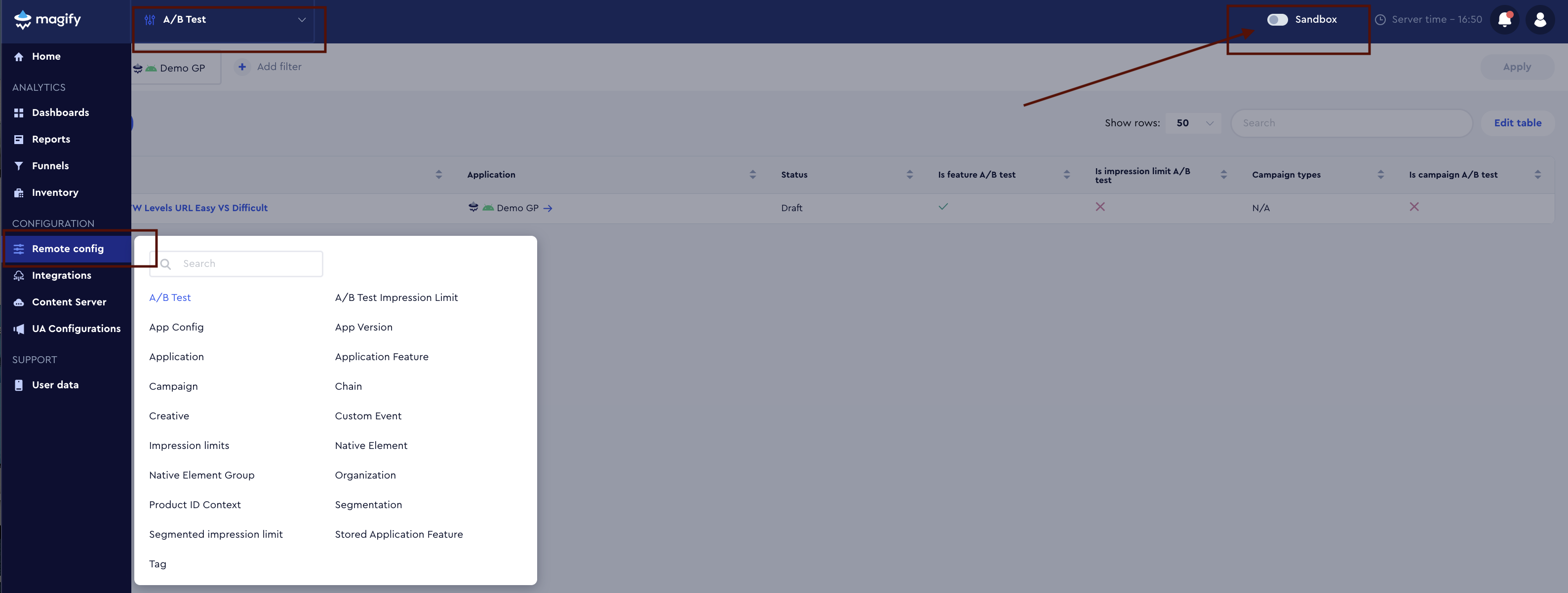
Where the Sandbox toggle is available
The Sandbox toggle is available only in Remote Config sections where entities have separate versions for Sandbox and Production.
Sections where Sandbox is available
You can enable and use Sandbox when working with the following entities:
- Campaign
- Creative
- Segmentation
- A/B Test
- A/B Test Impression Limit
- Application Feature
- Stored Application Feature
- App Config
- Impression Limits
- Segmented Impression Limit
- Product ID Context
- Tag
In these sections, entities exist separately in Sandbox and Production, and switching the environment affects which entities are created and edited.
Sections where Sandbox is not available
The Sandbox toggle is not clickable in sections with shared entities that are used in both Sandbox and Production:
- Application
- App Version
- Organization
- Chain
- Custom Events
- Native Elements
- Native Element Group
These entities are common for both environments, so environment switching is not required.
Summary rule
- If an entity has separate versions for Sandbox and Production, the Sandbox toggle is available.
- If an entity is shared across environments, the Sandbox toggle is not clickable.
Switching Behavior
If there are unsaved changes on the page, the system shows a confirmation dialog.

Confirmation dialog when switching to Sandbox with unsaved changes.

Confirmation dialog when switching from Sandbox back to Production.
Sandbox Mode Enabled

Sandbox mode enabled. All actions and changes apply only to the Sandbox environment.
The Sandbox toggle is disabled in the Profile and Settings sections.
Visual Environment Indicators
The interface always visually indicates the active environment.
Sandbox
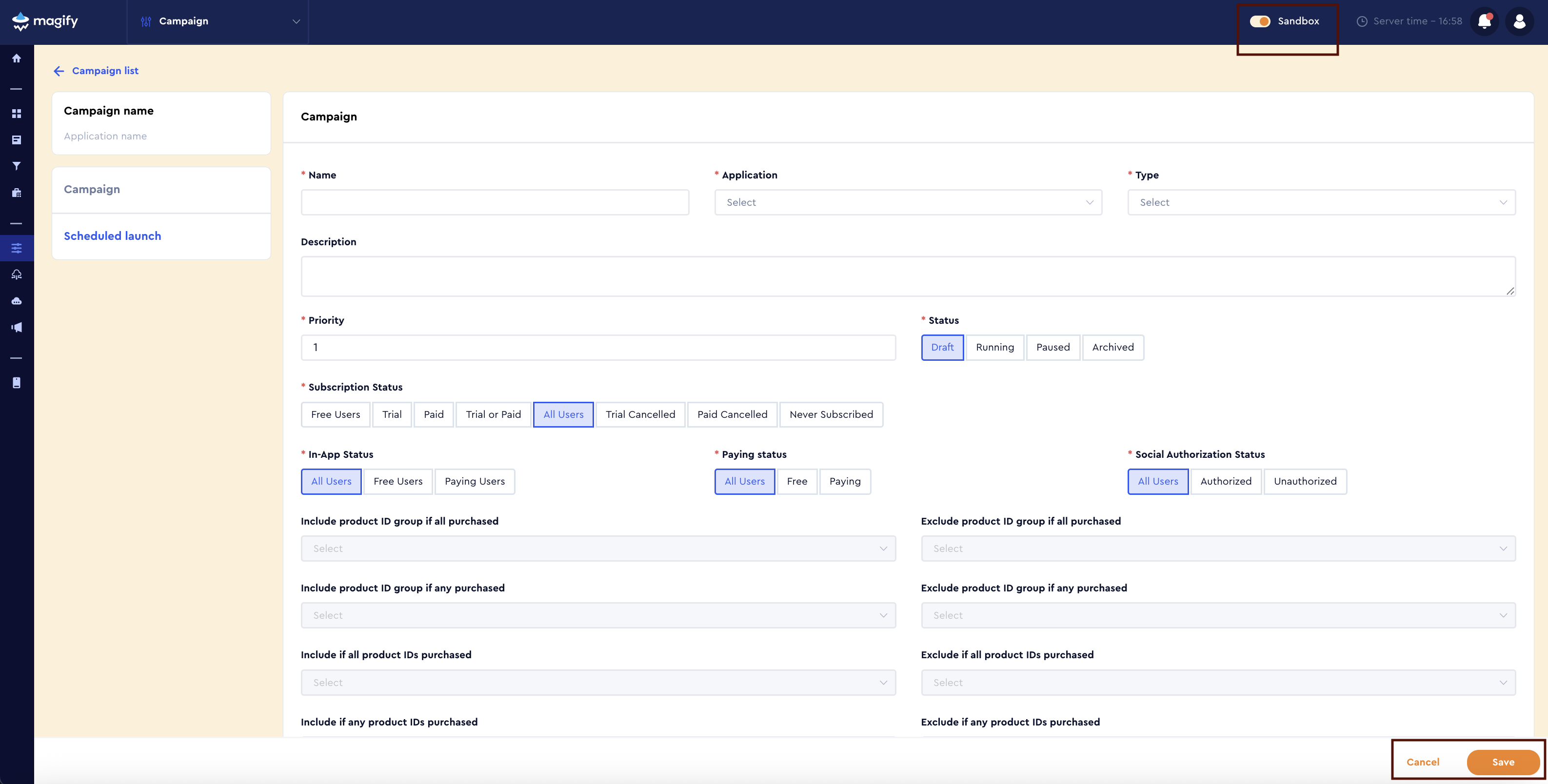
Sandbox mode interface. Yellow visual indicators highlight the test environment.
Production
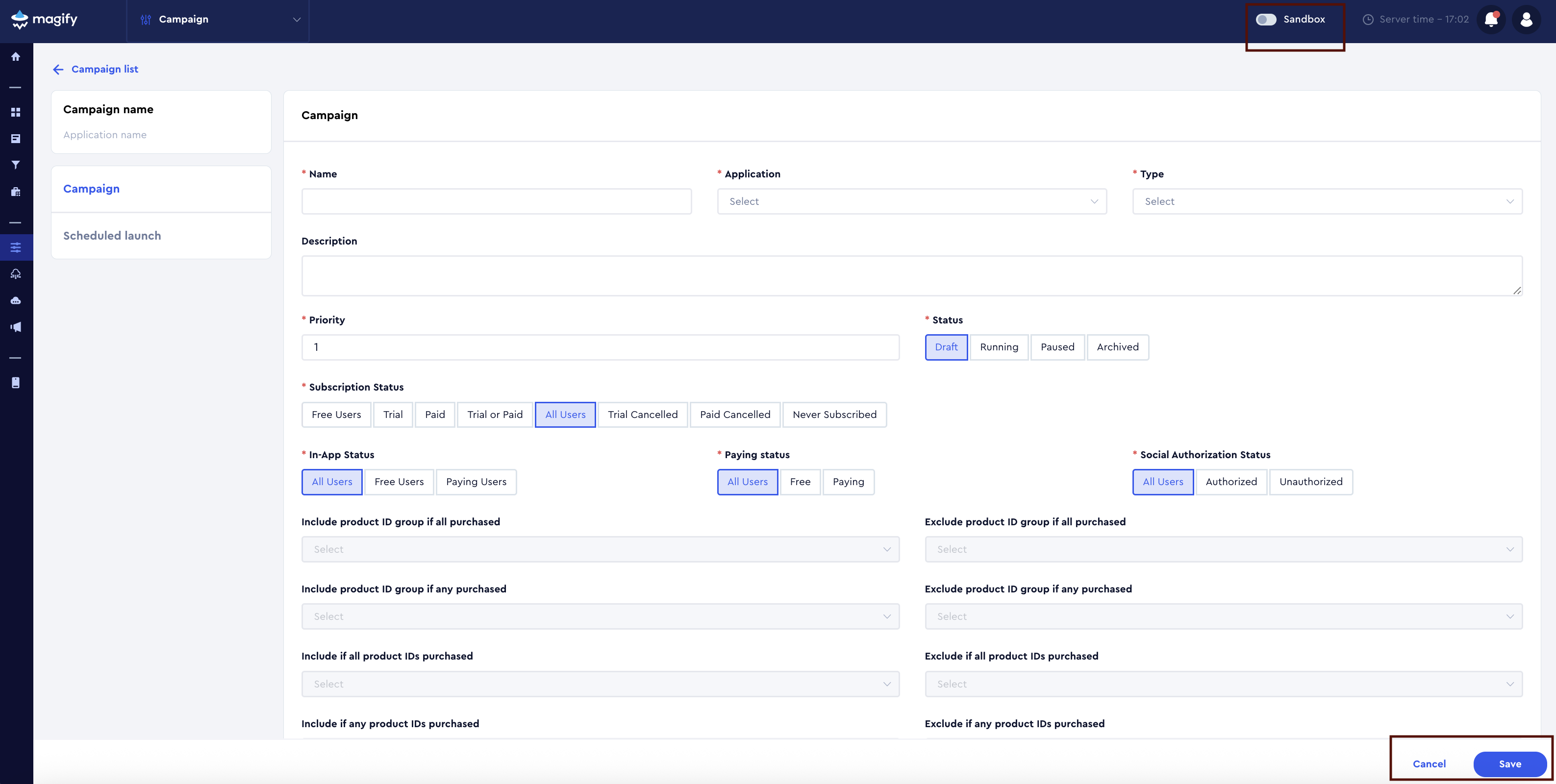
Production mode interface. The standard color scheme indicates the live environment.
Creating and Editing Entities
Entities are created and edited only within the active environment.
- when Sandbox is enabled, changes apply only to Sandbox entities;
- when Sandbox is disabled, changes apply only to Production entities.
Sandbox and Production entities are independent and are not synchronized automatically. This behavior is intentional to prevent accidental propagation of test changes into Production.
Current Limitations (Stage 0)
The following limitations apply in the current implementation:
- entities cannot be moved between Sandbox and Production;
- Sandbox entities cannot be used in Production;
- there is no automatic configuration synchronization between environments;
- Sandbox and Production are fully isolated;
- all data in reports and dashboards is currently combined and visible across all environments, regardless of the selected environment.
These limitations are part of the initial implementation and are planned to be changed in future iterations.
Summary
Sandbox provides a safe testing environment, clear separation between test and live data, and predictable configuration behavior. Sandbox functionality will continue to evolve, and all updates will be reflected in the Help Center documentation.